Team and roles
The Team page lists everyone who can sign in to the workspace, together with the invitations that are still waiting to be accepted. Admins invite people, change roles and remove members from here.
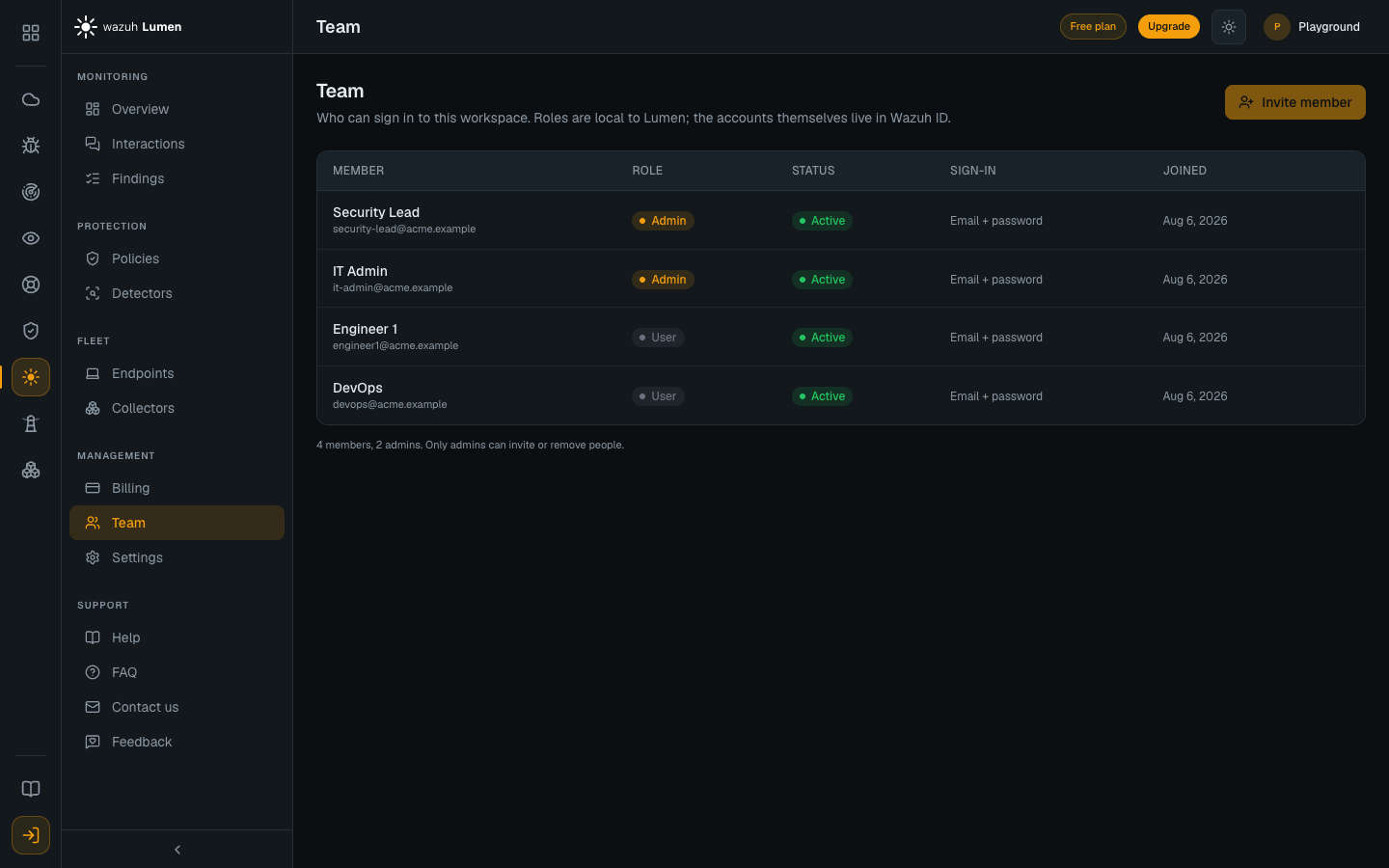
The two roles
| Role | Can do |
|---|---|
| User | Read the console, and also write policies, assign them, enroll and remove endpoints, and switch an endpoint between monitoring and enforcing |
| Admin | Everything a user can, plus invite and remove members, change roles, and manage the plan: upgrade it, cancel it and change the spend limit |
The first person in an organization to open Lumen becomes its admin. Everyone who joins afterwards starts as a user, and an admin can promote them.
The role separates managing people and the plan from everything else. User is not a read-only role, and it does not restrict the security controls. A user can write a policy, assign it to a machine, enroll a machine, remove one, and start enforcing across the fleet. An organization that needs those actions held to a smaller group cannot express that with roles today.
Inviting somebody
Press Invite member, enter the person's email address, optionally their name, and pick the role they should have. What happens next has two visible steps.
- The invitation email comes from Wazuh ID, not from Lumen. Accounts are shared across every Wazuh service, so the invitation creates a Wazuh account for that person and asks them to set a password. The name is only used to address the email.
- They join the workspace when they first sign in. Until then the Team page shows them as Invited, with who invited them and when. There is nothing to configure at that point, because the role chosen at invitation is applied at that first sign-in.
An invitation lasts 14 days. Sending another one to the same address replaces the pending invitation rather than adding a second, and resets the clock.
The confirmation says whether an email was sent. Most invitations send one. Two cases differ, and the page tells you which happened:
- The person already has a Wazuh account in your organization, for example because they use another Wazuh service. No email is sent: they now have access to Lumen, and they join the workspace the next time they sign in with that account.
- They were already invited to your organization and never set up their account. The invitation email is sent to them again. If it could not be sent again at that moment, an email already went to them less than a minute ago, or your organization has re-sent too many invitations in the last hour, the page says which: they still cannot sign in, so use Resend on their row later.
Resending an invitation
If somebody did not receive their invitation, or it expired, press the send icon on their Invited row. Wazuh ID emails them a new set-up link. If their account is no longer waiting to be set up, the page says so instead; if they still cannot sign in, an owner of your organization can check their account under Members in the Wazuh Hub. One invitation email can go to an address per minute, so pressing it again straight away is refused with a message saying an email just went. Your organization can also re-send at most 30 invitations an hour; past that, Resend is refused with a message saying so, and nothing is sent.
A Wazuh account belongs to exactly one organization. An invitation sent to somebody who already belongs to another one is refused, and the page says so. They have to leave that organization before they can join this one.
Revoking, promoting, removing
- Revoke a pending invitation from its row. This also withdraws the access to Lumen that the invitation gave them in Wazuh ID, so the row does not come back. The person keeps their Wazuh account and any other Wazuh service they use; it no longer leads to this workspace. If Wazuh ID could not withdraw that access at the time, the confirmation says so and tells you what to do. Revoke only applies to invitations: if the person has already joined, use Remove instead. If they have set up their Wazuh account but not opened Lumen yet, it is no longer an invitation either: Revoke is refused, nothing changes, and they join with the role you invited them with when they first sign in.
- Change a role by clicking the role badge on a member's row. An admin cannot change their own role, so a workspace can never be left without an admin by accident.
- Remove a member from their row. They immediately stop being able to read this workspace, and any session they have open ends rather than lasting until its token expires. Their Wazuh account is untouched, so they keep using other Wazuh services, and they can be invited back later.
Removing somebody does not delete anything they did. Interactions their machines reported stay in the console, and any endpoint they enrolled keeps reporting until it is removed on the Endpoints page.